








Healthcare
Healthcare, Made Easier
Healthcare
Healthcare, Made Easier
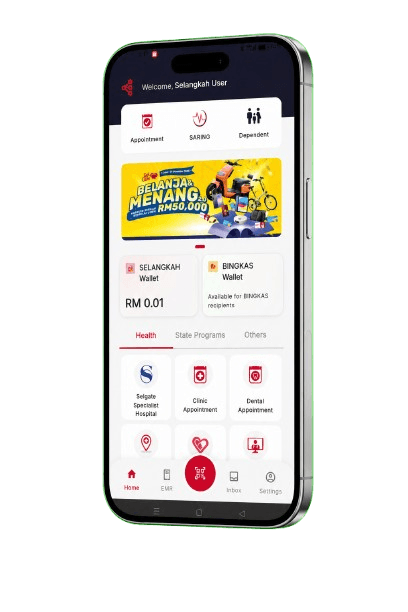
Looking after your health should feel simple. From booking appointments to caring for your loved ones, Selangkah helps make healthcare easier to manage.
Looking after your health should feel simple. From booking appointments to caring for your loved ones, Selangkah helps make healthcare easier to manage.
Healthcare Within Reach
Get connected to the healthcare services you need.
Booking Made Simple
Book and manage your appointments with ease.
For You and Your Loved Ones
Manage your family’s healthcare needs in one convenient place.





How to Book an Appointment
It's quick and easy with Selangkah app.
Step 1
Download Selangkah
Get the app from Google Play or App Store.
Step 2
Sign In
Log in or create your account.
Step 3
Choose Service
Select the healthcare service you need.
Step 4
Select Date & Time
Choose your preferred location, date and time.
Step 5
Confirm Booking
Review and confirm your appointment. You're all set!
Frequently Asked Questions
View All FAQsOpen Selangkah, sign in, choose a healthcare service such as Selcare Clinic, then pick your preferred location, date and time to confirm.
Yes. You can cancel an appointment in the app. To reschedule, cancel your current booking and make a new one.
Telemedicine is available through Selcare for eligible users. Open the Telemedicine service in Selangkah to get started.
Use e-Medical Records in the Selangkah app to view your health history. You can also visit MyRecord for the external records hub.
Booking an appointment through the app is free. Any clinic or hospital charges follow the provider's own payment options.
Selangkah healthcare services are available to registered users. Some services may also support dependants added to your account.